Practice
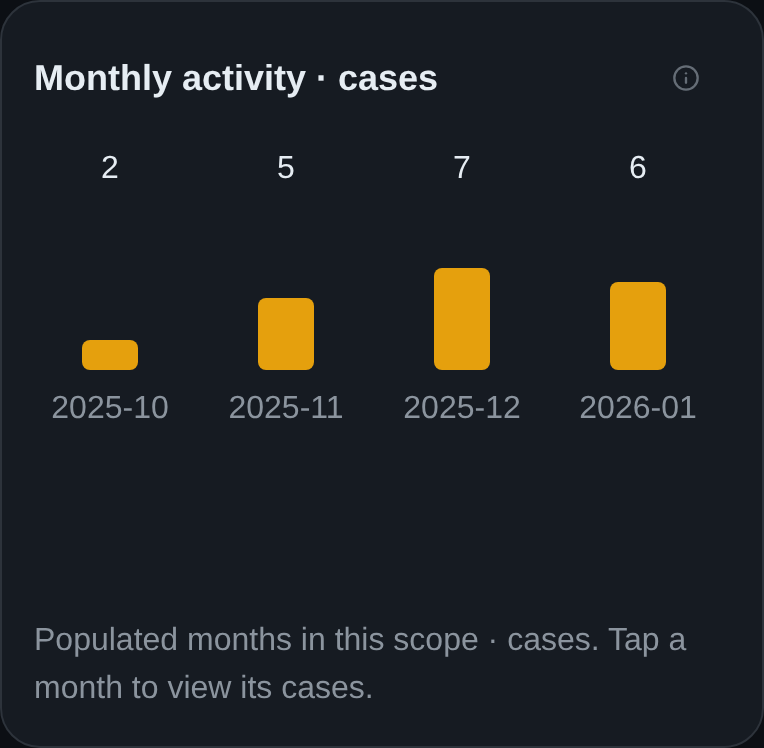
Review your own performed cases by role, period, hospital or rotation. Explore monthly case counts and the records behind them.
Surgical logbook · for iPhone
Explore case recording, roles, team sharing, feedback and reporting in this test version of Opus. Evaluate each workflow with synthetic data only; do not use it with real patients or real patient data.
Evaluation access for surgeons, trainees and organisational reviewers in New Zealand and Australia. On iPhone through TestFlight, with a sample logbook to explore without signing up.
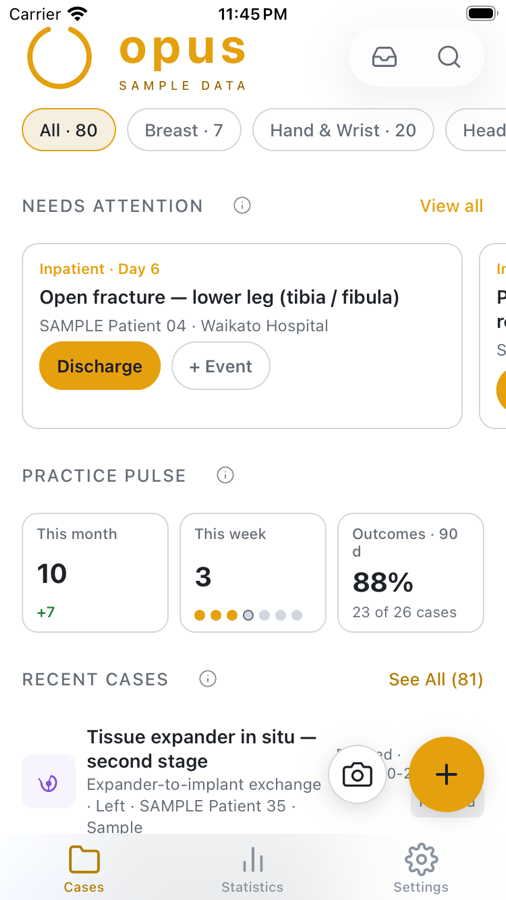
Evaluation demo — synthetic data only. No real patients or real patient data.
Native iOS capture · v2.39 · synthetic 80-case logbook. Cropped before the Practice Pulse cards. View full capture
A record of the work.
The detail behind the numbers.
Case sharing · built around the operating team
Evaluate how a colleague records a synthetic case and shares it with a test team. Review contributions with synthetic clinical details and synthetic images only, without retyping the example case.
Explore case sharingYour record, in perspective
A case count is a starting point. The procedures, your involvement and the context make it a record you can return to.
Explore the appReview your own performed cases by role, period, hospital or rotation. Explore monthly case counts and the records behind them.
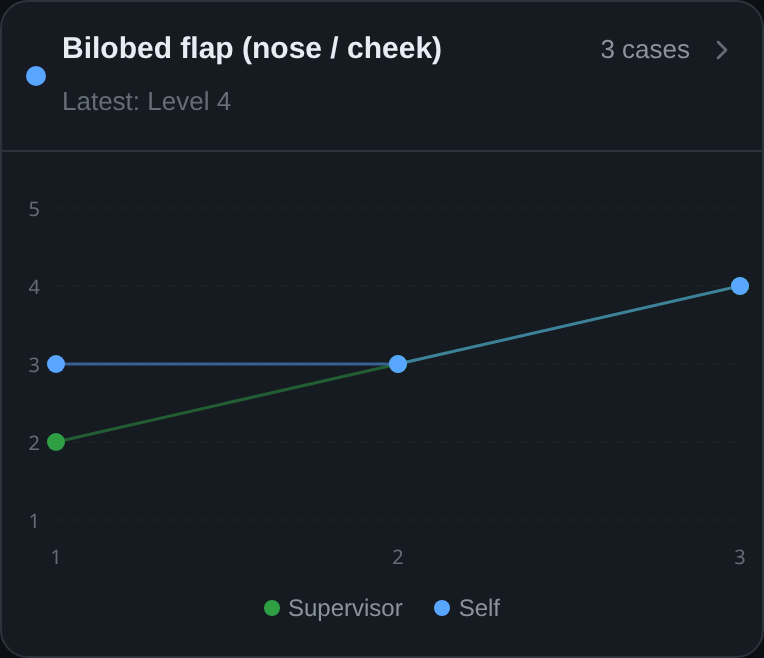
Bring available completed assessment pairs into view. Review learning curves, self and supervisor perspectives, and teaching feedback.
Keep the procedure, your recorded role and the clinical detail together, ready for a review or the next conversation.
EPA-informed assessment
What did you do? What support did you need? What should you focus on next? Bring a case, your reflection and your supervisor’s perspective into the same discussion.
How assessment and feedback workONE CASE · TWO PERSPECTIVES
Your experience of the activity and the support you needed.
The supervision required, with case-linked feedback.
Normally, each participant submits their rating before seeing the other's. After 72 hours, a single response may become available, so a late participant may see it before answering.
Workflow explanation · not a product screenshot
Informed by published work on entrustable professional activities. Opus itself is not a validated assessment tool; an assessment does not certify competence. Read the evidence and its limits
From the case to the next chapter
See a complete case recorded in the actual iPhone app, from procedure and role to review and save.
Watch the recordingSynthetic information. Longer pauses removed; the demonstration is not a typical entry-time claim.
Prepare supported report layouts. See what is supplied, what needs confirmation and what you still enter yourself.
Explore supported reportsMALT uses copy per field. Programme acceptance remains with the receiving body.
Understand on-device storage, colleague sharing, manual encrypted backup and recovery as part of your evaluation.
Your data and recoveryKeep both your saved backup and Recovery Key. No automatic cloud backup.
The reason behind Opus
Opus takes its name from magnum opus, literally “great work”: a person’s greatest or most important work. It reflects a simple belief: the experience you build throughout your surgical career deserves a lasting record.
Across countries, a fellowship in Australia and a consultant post back in Switzerland, an accurate, reliable, privacy-conscious logbook was essential. That experience is why Mateusz Gładysz is building Opus.
Read the founder’s storyA useful starting point
See your cases, roles and statistics, then understand reporting and recovery for your next move.
Explore your logbookSee how involvement confirmation, role attestation and formative assessment each contribute to a conversation.
Explore the mentor workflowEvaluate the current workflow, reporting boundaries and data handling against your own requirements.
Review programme fitYour next chapter
iPhone · TestFlight evaluation only · synthetic data only