Look across observations.
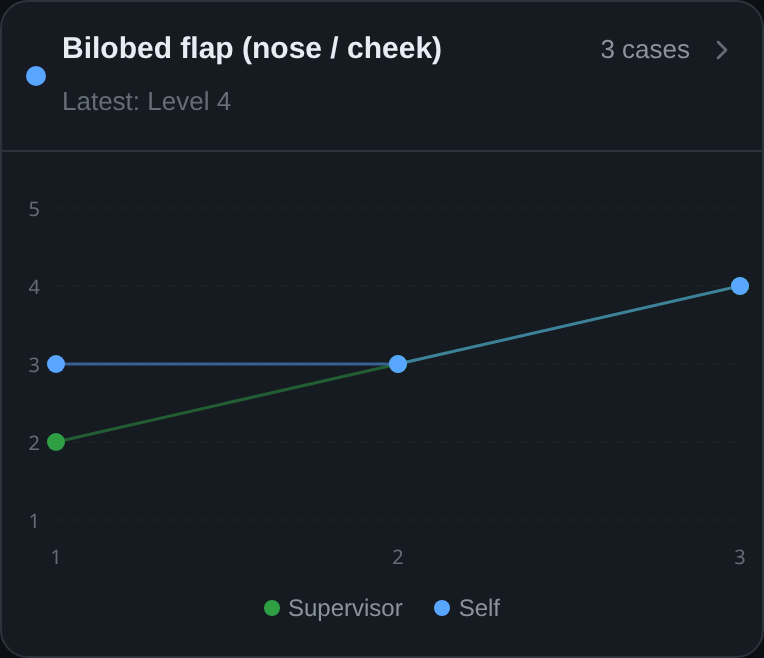
Review procedure-linked entrustment observations over time. Curves use the assessment reveal date, rather than the operation date.
Inside Opus
Evaluate case recording, roles, feedback and reporting in a test version built around plastic, hand and reconstructive workflows. Use synthetic cases only; no real patients or real patient data.
Practice statistics
Review your own performed cases by recorded role, operation-date period, hospital or rotation. Monthly activity counts cases; procedure breakdowns count procedure rows. Tap a month to see its cases.
Practice excludes planned and cancelled cases, drafts and cases received from colleagues. Detailed metrics require 20 cases, or the clearly labelled sample-only view.
The example beside this text is rendered from the actual app components using a deterministic 80-case synthetic fixture. It is a browser source preview, not a native iPhone capture or a continuation of the older dashboard session.
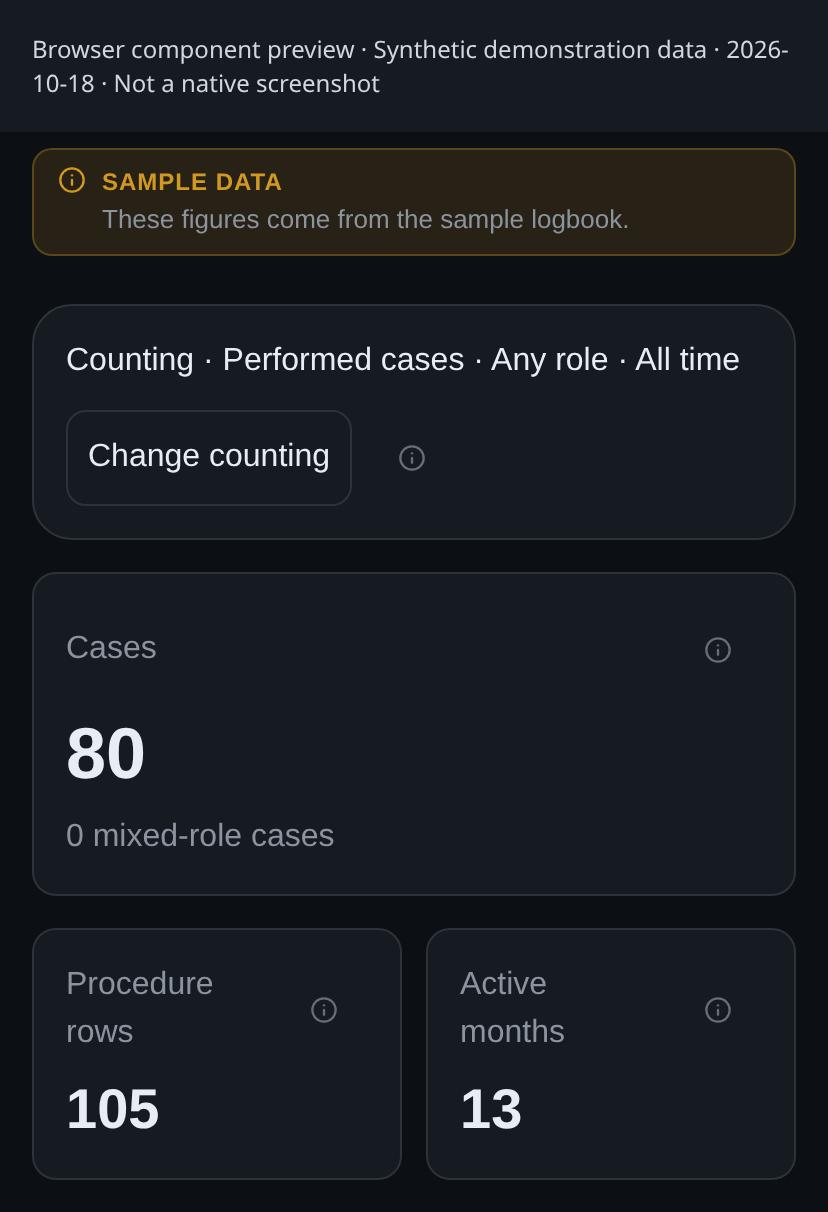
Evaluation demo — synthetic data only. No real patients or real patient data.
Browser preview of actual app components · synthetic fixture · 18 October 2026. Source preview, not native iPhone evidence. View full captureTraining statistics
Training views summarise available completed assessment pairs. They help you revisit recorded observations and identify a conversation to have with your mentor.
Review procedure-linked entrustment observations over time. Curves use the assessment reveal date, rather than the operation date.
Compare self and supervisor ratings where a full pair is available. Calibration needs three full pairs; ordinal-score differences are descriptive, not a validated verdict on either person.
A teaching summary requires five full assessments across three distinct shared cases. Legacy and current scales have different anchors and may be pooled; this is not a distinct-person threshold.
The actual recording workflow
A complete case recorded on an iPhone: procedure, role, clinical detail, review and save. Synthetic information; longer pauses have been removed. The edited duration is not a typical case-entry time. Recorded in an earlier test build; the hand injury screens have changed since.
Evaluation demo — synthetic data only. No real patients or real patient data.
1 / 10Identifier, date of birth, a name, sex and ethnicity. The identifier field is labelled NHI or URN by your country of practice; name and date of birth are optional and stay encrypted on the phone.
For surgeons and trainees
Use synthetic cases to explore how roles, feedback and report preparation fit together. This test version is for evaluation only.
iPhone · TestFlight evaluation only · synthetic data only
General JSON, CSV, FHIR R4 and PDF exports support your own record-keeping. Purpose-built reports organise selected fields for supported layouts. An export is not a complete backup.
Create and save an encrypted backup manually, and keep its Recovery Key separately. There is no automatic cloud backup. Assessment, shared-case and colleague-key restoration requires the same Opus account.
Read the data and recovery requirements before relying on long-term retrieval.
For organisations and training programmes
Review the case workflow, colleague confirmation, formative feedback and report preparation against your programme’s requirements.
Contact Opus about programme fitOpus is an individual iPhone logbook available as a test version for evaluation with synthetic data only. The views shown here are personal app views. There is no institutional analytics portal or hospital-wide deployment offering.
Read what a mentor confirms and assesses, reporting boundaries and privacy, security and current limitations. Opus uses encryption and account-access controls to help protect information. This test version remains under evaluation; the security page explains external-testing, app-lock and release-testing limitations.
Each person and organisation remains responsible for data governance in their own capacity. Evaluation is limited to synthetic data; it does not authorise real-patient use. An exported layout does not establish integration, endorsement or acceptance by a college.